Free · macOS & Windows · Menu bar
Your eyes deserve a break every 20 minutes.
BlinkBreak lives in your menu bar and quietly follows the 20-20-20 rule: every 20 minutes, look at something 20 feet away for 20 seconds. That's it. That's the app.
Rather not use the App Store? Get the macOS .dmg or Windows installer on GitHub.

The rule
20 · 20 · 20, handled for you
Optometrists recommend the 20-20-20 rule to ease digital eye strain. BlinkBreak simply remembers it so you don't have to.
of focused screen time
A quiet timer runs while you work. Step away, and it pauses by itself.
of looking into the distance
Out the window, down the hall — anywhere far. Your eye muscles finally relax.
is all it takes
A gentle countdown, then back to work. Twenty seconds, better eyes.
Features
Small app. Considerate defaults.
Your rhythm, your rule
Set reminders from 5 to 60 minutes and breaks from 5 to 60 seconds. 20-20-20 is the default, not a demand.
Three break styles
A full-screen rest, a floating countdown card, or just a notification. You choose how firm the nudge is.
Idle-aware
Step away for coffee and the timer pauses on its own. No break reminders for an empty chair.
Lives in the menu bar
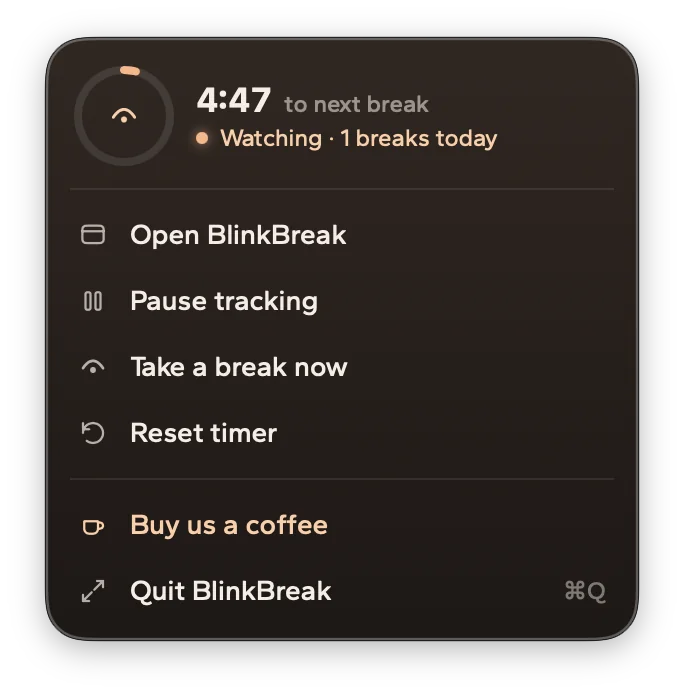
Time to next break, pause, reset and "break now" — one click away, never in your way.
Starts with your Mac
Optional launch at login. Set it once and forget it exists — until your eyes need it.
Private by design
No accounts, no personal data, nothing to sell. The app only sends anonymous usage stats that can't be linked to you — read the two-minute privacy policy.
A look inside
The whole app, three screens
A day view for the curious, settings for the particular, and a menu bar popover for everyone else.


Break styles
Choose how firm the nudge is
Deep-work days and meeting days need different reminders. Switch styles anytime in Settings.
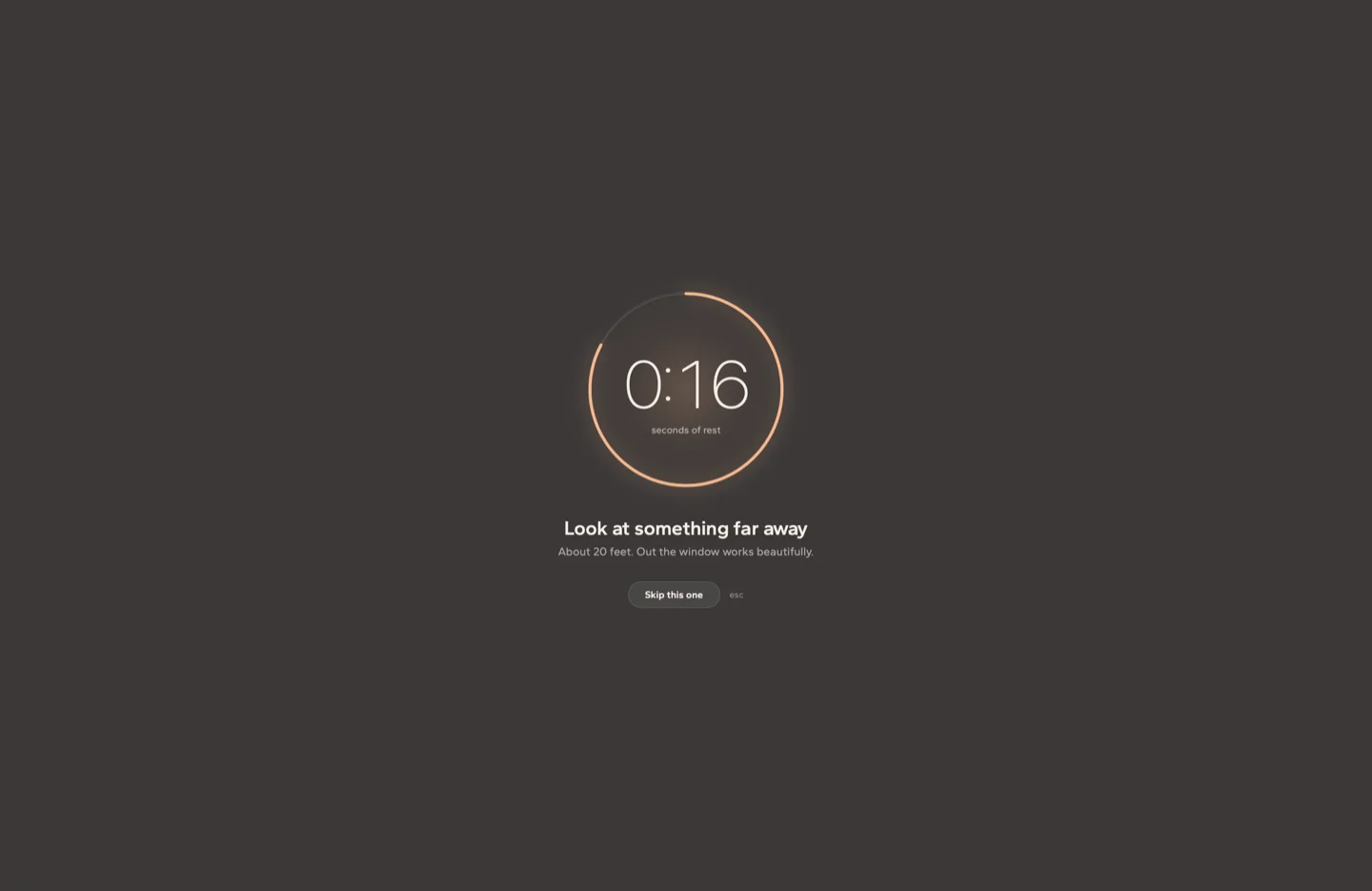
Full screen
Dims the whole desktop behind glass. The break you can't pretend you didn't see.

Floating card
A small countdown in the corner, always on top. Present, never pushy.
Notification
Just a nudge from Notification Center. For meeting days and screen shares.
FAQ
Fair questions
Is it really free?
Yes. No trial, no locked features. If BlinkBreak saves your eyes, you can buy us a coffee — but you never have to.
Does the 20-20-20 rule actually work?
It's a widely recommended habit from eye-care professionals for reducing digital eye strain. BlinkBreak isn't a medical device — it's a reminder to do the healthy thing you already know about.
Will it interrupt my presentations or calls?
Pick the notification break style, or pause tracking from the menu bar with one click. A do-not-disturb-aware mode is on the roadmap.
What does it track?
Locally, only whether your Mac is being used, so the timer can pause when you're away — it never reads your screen, keystrokes, or apps. The app sends anonymous usage statistics that aren't linked to you in any way. The privacy policy has the full list.
Which Macs does it support?
macOS 14 Sonoma and later, Apple Silicon and Intel.